Using Roundabout Blockers to judge gaps
Roundabout Blockers Explained (UK Driving & ADI Part 2&3 Guide)
Roundabout Blockers Explained (UK Driving & ADI Part 3 Guide)
Roundabouts can feel unpredictable for learners and even trainee instructors—but once you understand blockers, everything starts to make sense. This guide explains the concept in a simple, practical way so you can make better decisions, teach more effectively, and improve your chances of success in both the driving test, ADI Part 2 and ADI Part 3.
What Is a Roundabout Blocker?
What Is a Roundabout Blocker?
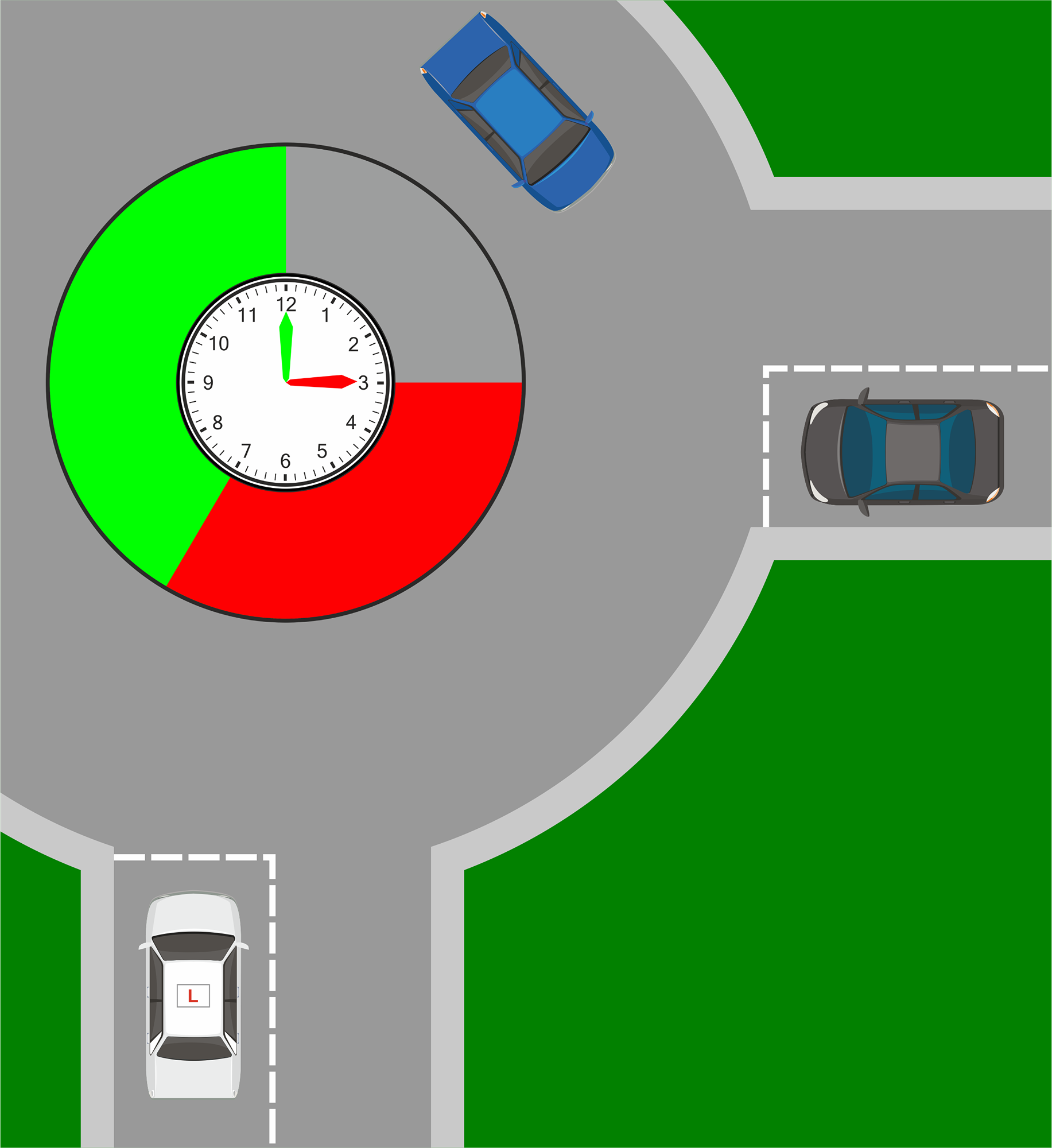
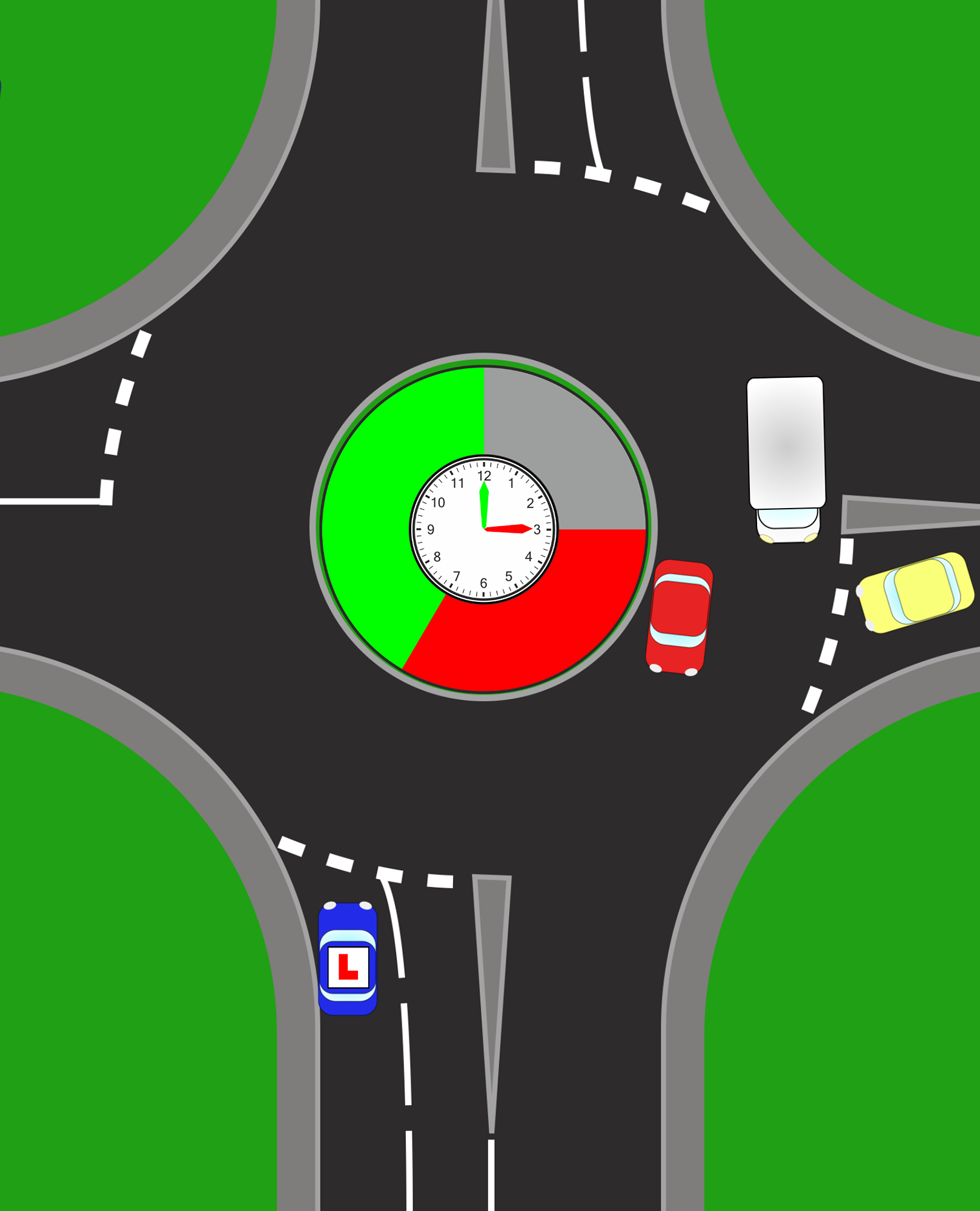
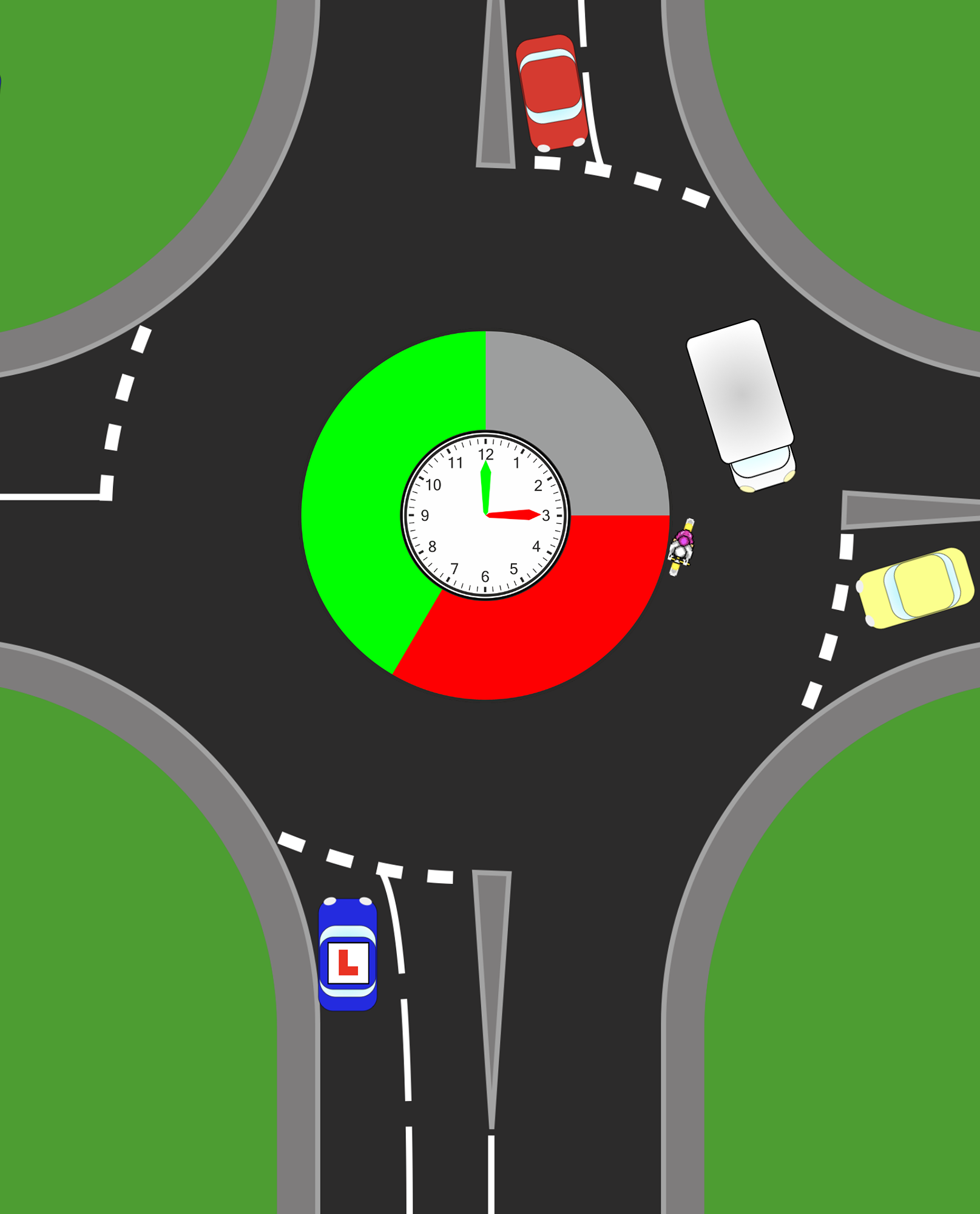
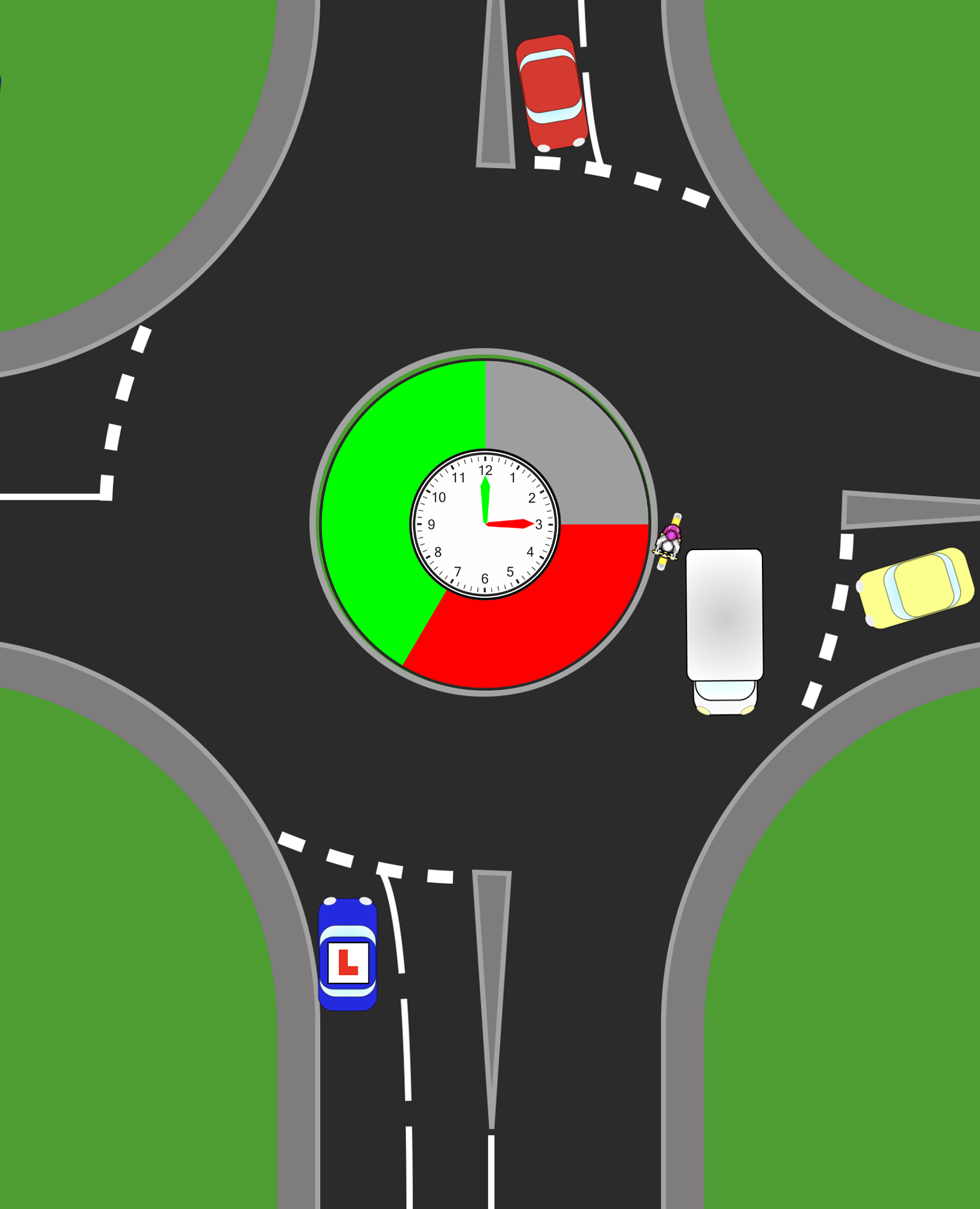
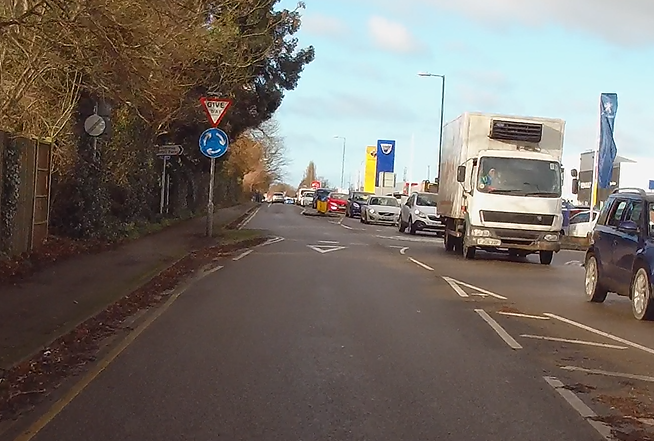
A roundabout blocker is traffic already on the roundabout that prevents other vehicles—particularly from your right—from entering.
When traffic builds up, the roundabout becomes “full”. Vehicles already circulating effectively block new vehicles from joining, and this can create a temporary gap for you to enter.
A simple way to picture it is a queue. If people are constantly walking past, you can’t step in. But if the flow slows or stops, a space appears. That’s what a blocker does.
However—and this is where many learners go wrong—a blocker does not mean “go”. It simply creates an opportunity that must still be judged safely.
See the Full Roundabout Masterclass
How to identify Roundabouts
Click on this text to start editing, and enter your own text with some basic formatting. To create a link to another page or website within this section, select the text you want to make into a link and click on the Link icon on the formatting toolbar. Click anywhere outside the text box when you're done to continue working on the rest of your page.
Open or Closed Junction
To change the appearance of a block, such as the way in which it is laid out and the width of its columns, click on the Change Layout button on the block toolbar, to the right of each block. You can show and hide many of the elements that make up a block by clicking Block Settings on the right hand toolbar and going to the Elements tab. In Block Settings you can also change other aspects of how a block looks, including margins, colours, animations and background images.
Lane Positioning (Clock Face Method)
You can change the order that blocks appear on your page using the up and down arrow buttons on the right hand toolbar, or you can drag the entire block using your mouse.
Danger Zone
Click on this text to start editing, and enter your own text with some basic formatting. To create a link to another page or website within this section, select the text you want to make into a link and click on the Link icon on the formatting toolbar. Click anywhere outside the text box when you're done to continue working on the rest of your page.
Blockers
Click on this text to start editing, and enter your own text with some basic formatting. To create a link to another page or website within this section, select the text you want to make into a link and click on the Link icon on the formatting toolbar. Click anywhere outside the text box when you're done to continue working on the rest of your page.
How Blockers Affect Traffic From the Right
How Blockers Affect Traffic From the Right
Under normal conditions, you must give way to traffic from the right. That rule always stands.
What changes with a blocker is the flow of traffic.
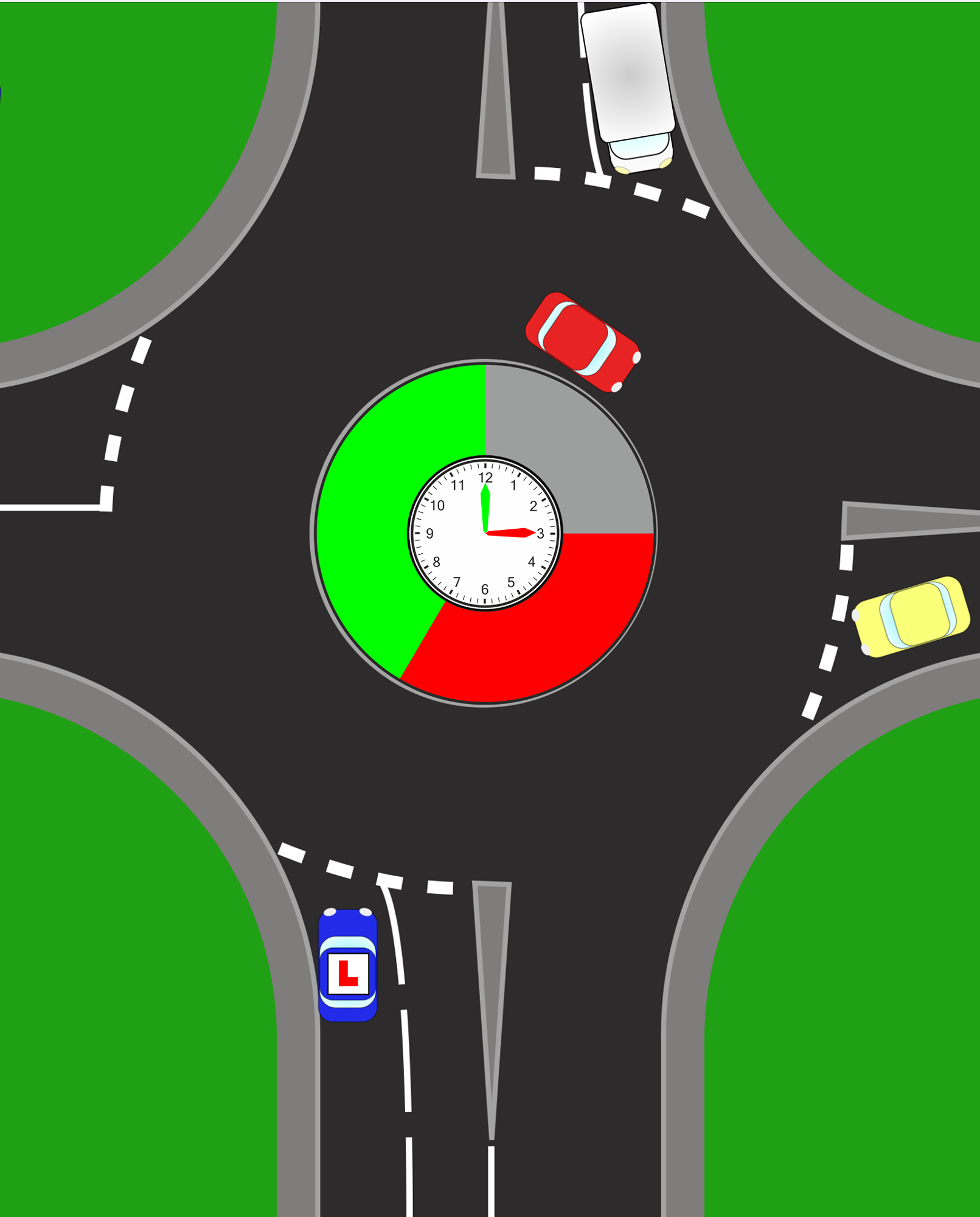
If vehicles are already circulating and filling the roundabout, traffic approaching from your right may not be able to enter. This means nothing new is coming towards you for a short period of time.
This is why a gap appears.
But you are not ignoring the right—you are still checking:
Is anything already on the roundabout approaching me?
Is anything about to appear?
Could the situation change quickly?
A good way to explain it is:
The right still has priority—but at that moment, nothing new can reach you.
When a Blocker Creates a Safe Gap
When a Blocker Creates a Safe Gap
Not every gap created by a blocker is safe. This is where proper judgement comes in.
A safe gap should have three key features:
Time – enough space to move off smoothly
Stability – the gap is not about to disappear
No impact – other road users will not need to brake or change direction
For example, if traffic on the roundabout is slow or stationary and nothing is approaching your entry point, this may present a safe opportunity to join.
The key question to ask is:
Will this gap still be there by the time I move?
If the answer is uncertain, it is usually best to wait.
When a Blocker Is Not Safe
When a Blocker Is Not Safe
There are many situations where a blocker can mislead a driver into making a poor decision.
A gap is not safe if:
Traffic is about to move or accelerate
Vehicles are too close to your entry point
A vehicle could change lanes or exit unexpectedly
You would need to force your way in
You cannot continue moving after joining
One of the most common errors is entering too late—hesitating, then rushing into a closing gap. This often leads to poor control and increased risk.
The Biggest Mistake Drivers Make
The Biggest Mistake Drivers Make
The most common mistake is treating a blocker as a green light.
Drivers often see traffic building up and assume they can go without fully assessing the situation. This leads to rushed decisions, late entries, and unnecessary risk.
A better approach is:
Look → Assess → Decide → Move smoothly
Rather than reacting to the gap, you are making a considered decision based on what is happening and what is likely to happen next.
Blockers and the Roundabout Danger Zone
Blockers and the Roundabout Danger Zone
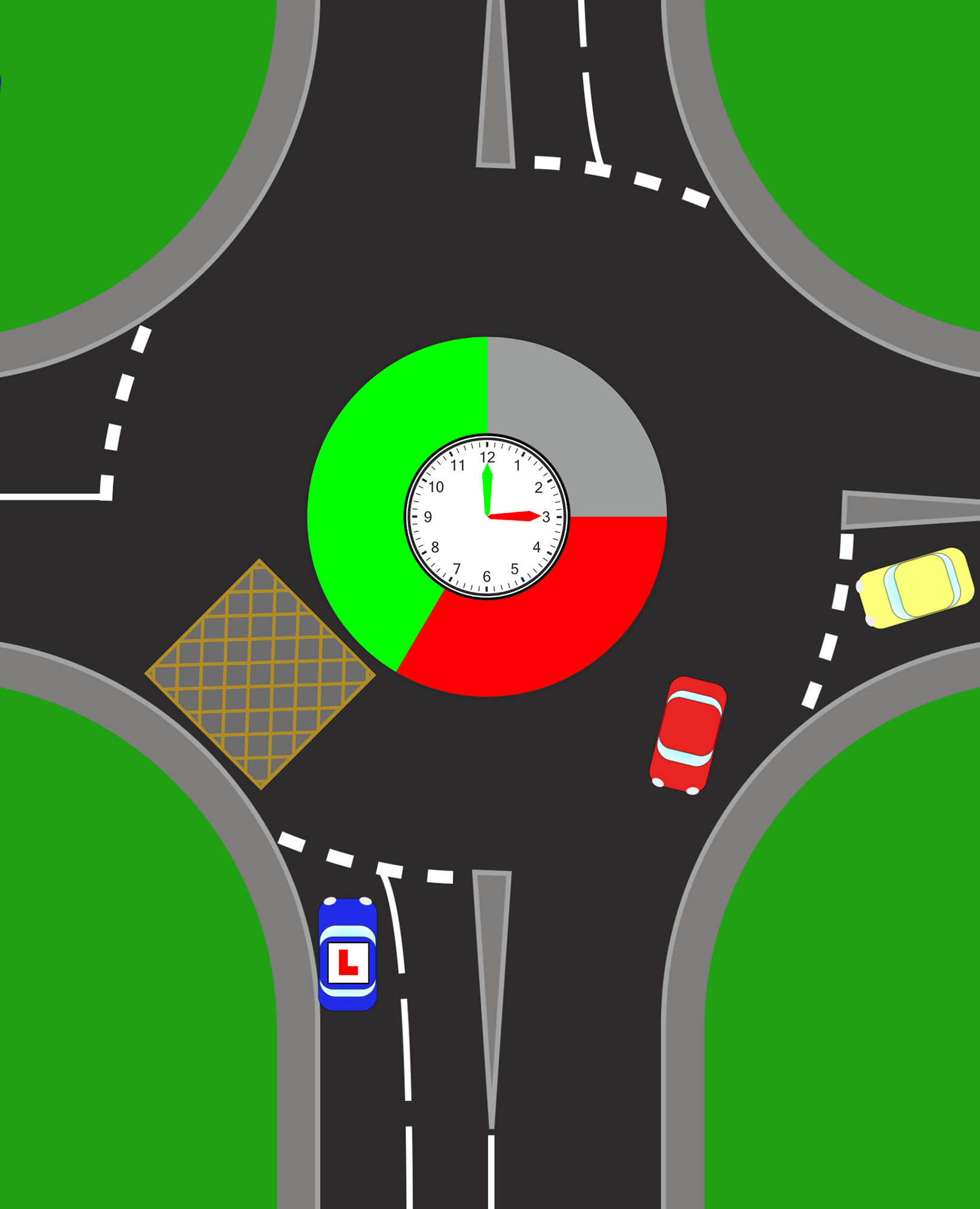
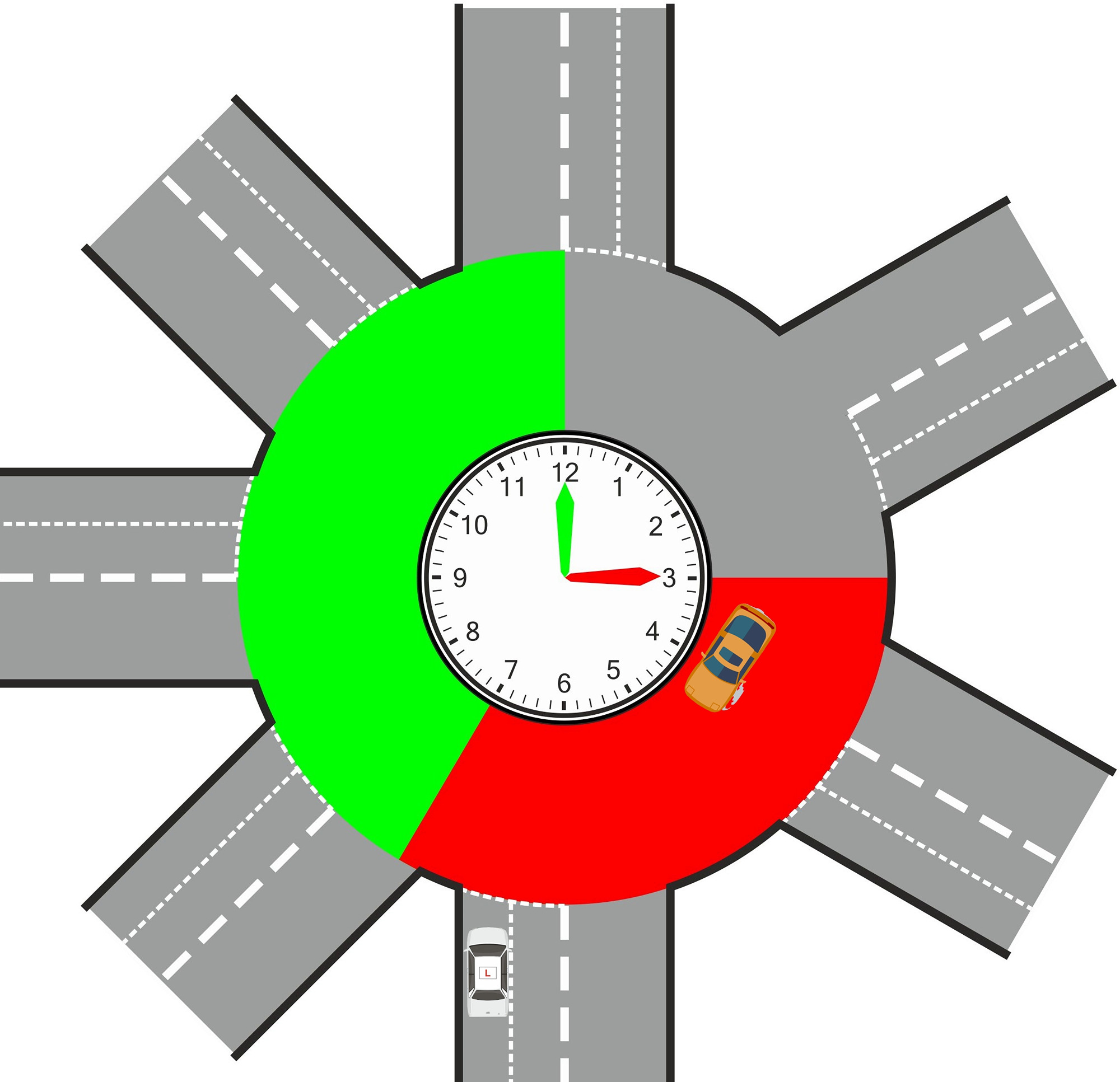
Even when traffic appears blocked, you must still consider the danger zone on the roundabout.
This is typically the area between 3 o’clock and 7 o’clock (thinking of the roundabout like a clock face). Any vehicle in this zone could affect your path.
For example:
A vehicle may still be approaching your entry point
A car could exit toward your road
Another driver may change lanes unexpectedly
So even with blockers present, you must continue to observe carefully and make a safe judgement.
Teaching Blockers for ADI Part 3
Teaching Blockers for ADI Part 3
For trainee driving instructors, blockers are an excellent opportunity to demonstrate client-centred teaching.
The aim is not to tell the pupil when to go, but to develop their ability to decide.
Instead of giving instructions such as:
“Go on, it’s clear”
Use guided questions:
“What is that traffic doing?”
“Is anything able to enter from your right?”
“How long will that gap last?”
This encourages the pupil to think, assess risk, and build independence—exactly what examiners are looking for.

Coaching Gap Judgement Effectively
Coaching Gap Judgement Effectively
Strong instructors focus on developing decision-making rather than giving answers.
Effective coaching questions include:
“What might happen next?”
“If you go now, who could be affected?”
“Is that gap likely to stay open?”
These questions help the pupil link observation to action, which is essential for safe driving.
Proactive vs Reactive Teaching
Proactive vs Reactive Teaching
There are two approaches to teaching:
Reactive – waiting for a mistake and correcting it afterwards
Proactive – preparing the pupil before the situation develops
For example, before reaching a roundabout, you might ask:
“If traffic builds up, how might that affect vehicles from your right?”
This prepares the pupil in advance and reduces the likelihood of errors.
How to Master Roundabout Blockers
How to Master Roundabout Blockers
The most effective way to deal with blockers is to follow a simple process:
Observe – What is the traffic doing?
Predict – What is likely to happen next?
Decide – Is it safe to go?
Act – Move smoothly and confidently
This approach keeps driving controlled, consistent, and safe.
Roundabout Blockers Complete Guide
A blocker does not tell you to go—it gives you a chance to make a decision.
Understanding that difference is what turns roundabouts from confusing and stressful into something clear, predictable, and manageable.
And whether you’re learning to drive or preparing for ADI Part 3, that level of understanding is exactly what leads to confident, safe driving.
Contact Us
Hours
Monday - Friday:
09:00 am - 6:00 pm
Saturday - Sunday:
10:00 am - 3:00 pm